
Image production
Hydracept returns assets ready for your workflow.
Search terms teams actually use: sprite sheet AI, transparent PNG generation, pixel art animation frames, inventory icon packs, contact sheet slice, chroma key matte for games.
For image.generate.v1, that means transparent PNGs, cohesive multi-asset sheets, variant sets, and centered frames you can use in Unity, Godot, Unreal, or a web pipeline.
Three production modes
| Mode | Request | You get |
|---|---|---|
| Transparent output | requestTransparentOutput: true | Clean alpha PNG (native or matte-normalized) |
| Sheet & Slice | sheet.slice: true with rows / columns | One cohesive generation → N centered assets |
| Variants | variantCount (2–4) | Multiple takes in one job → compare and select |
Best for sprite sheets, pixel art animation, character poses, inventory icons, item families, VFX frames, prop packs, and UI glyphs — small-format assets where intra-set cohesion matters more than hero-resolution detail.
Sheet & Slice
Describe a cohesive set once. Hydracept generates a single composition, mattes the chroma plate, grid-slices (with blob fallback if the layout is skewed), centers each cell, and returns individual artifacts.
sheet.labels are metadata only — they identify cells in the API response and never appear in the provider prompt or on the generated image.
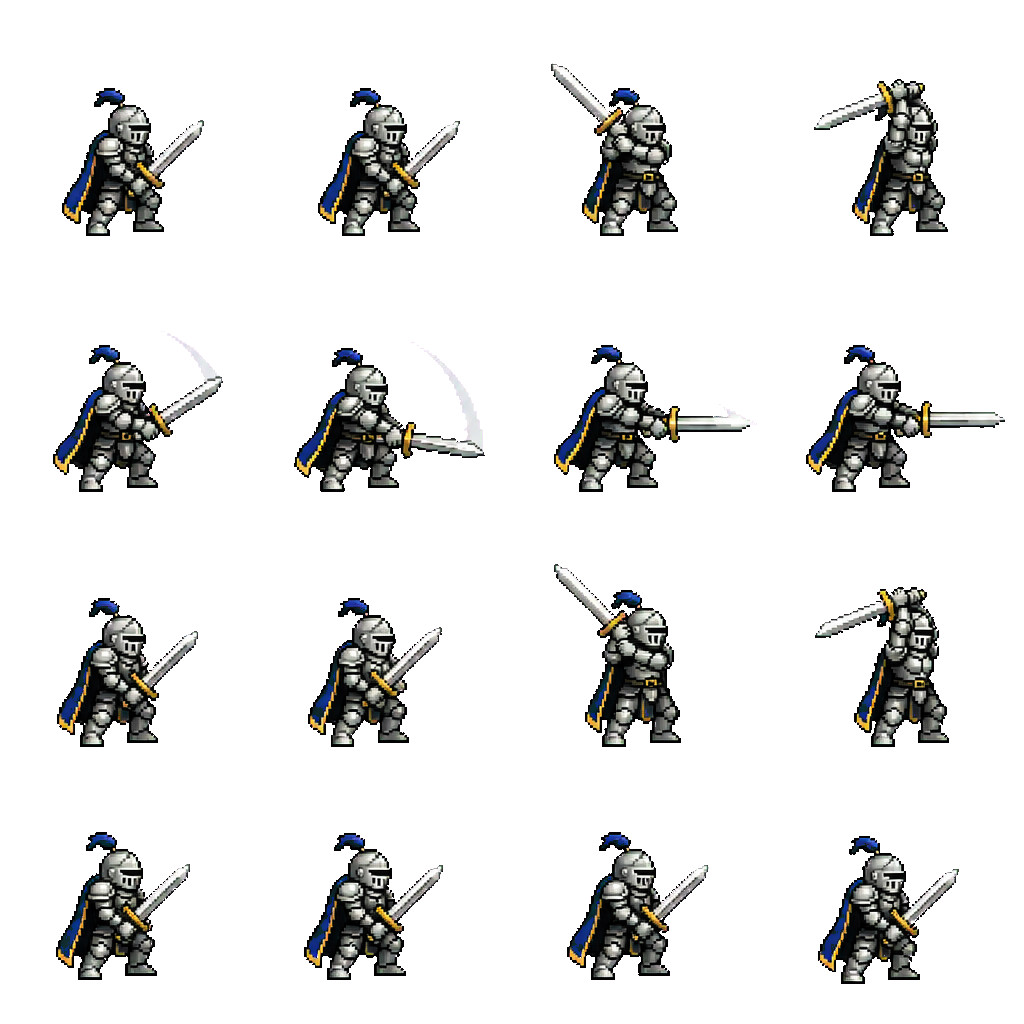
Example: SNES knight sword-swing sheet (gpt-image-2), matte-processed — hover the homepage demo to compare chroma vs transparency.
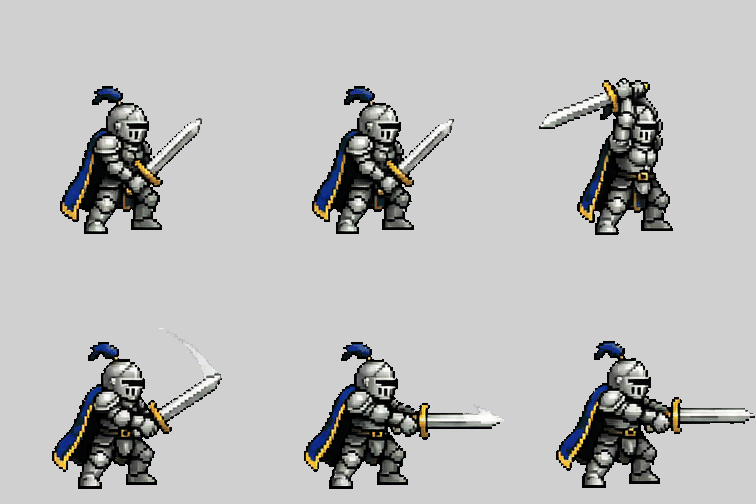
Aligned GIF preview built from sliced transparent frames of the same job.
Request
{
  "context": {
    "productId": "my-game",
    "projectId": "cpr_...",
    "environment": "development"
  },
  "input": {
    "prompt": "SNES-era pixel art knight sword swing animation",
    "requestTransparentOutput": true,
    "sheet": {
      "rows": 4,
      "columns": 4,
      "slice": true,
      "animation": { "facing": "right" },
      "labels": [
        "frame-01", "frame-02", "frame-03", "frame-04",
        "frame-05", "frame-06", "frame-07", "frame-08",
        "frame-09", "frame-10", "frame-11", "frame-12",
        "frame-13", "frame-14", "frame-15", "frame-16"
      ],
      "normalize": {
        "width": 256,
        "height": 256,
        "center": true
      }
    }
  },
  "execution": { "executionPreference": "automatic" },
  "idempotencyKey": "sword-swing-sheet-1"
}
Submit as a durable job:
POST /v1/capabilities/image.generate.v1/jobs
Authorization: Bearer <HYDRACEPT_API_KEY>
Content-Type: application/json
Behavior
sheet.labelsoptionally name each cell in the API response (frame-01,slash-b, etc.). They are not sent to the provider and must not be drawn on the image. Succeeded jobs expose every cell onGET /v1/jobs/{jobId}as its own artifact withlabel,filename, andsliceCellId.sheet.animationrequests subtle frame-to-frame motion with a locked facing direction.sheet.slicemust betrueto activate slicing.sheet.normalizesets the output canvas per cell (width,height,center).centertrims and centers each grid cell; it does not switch the slicer to blob detection.variantCountmust be1when sheet slicing is enabled.- Hydracept uses provider-native transparency when available and matte normalization when needed.
Output
A succeeded job returns multiple artifacts — one per sliced cell — on the job resource. Download each with:
GET /v1/jobs/{jobId}/artifacts/{artifactId}
Transparent output
For a single asset:
{
  "input": {
    "prompt": "pixel art healing potion icon, isolated",
    "requestTransparentOutput": true
  }
}
Hydracept treats transparency as an output contract. The catalog model record decides the default path:
- Native alpha when
nativeTransparentBackgroundis true (gpt-image-2, gpt-image-1). Hydracept sendsbackground: "transparent"and does not chroma-key or run matte v9. - Chroma-key matte when the model has no native alpha, or when the client sets advanced
transparencyMethod: "matte-v9".
Optional keyColor and transparentRegions apply only to the matte path.
Optional transparentRegions selects which pixels go to alpha when requestTransparentOutput is true:
| Value | Use when |
|---|---|
borderConnected (default) | Isolated sprites, icons, props. Unused canvas connected to the frame edge becomes transparent. Interior subject pixels stay opaque. |
borderConnectedAndEnclosed | Full-bleed plates with interior openings (windows, cutouts, apertures that do not touch the canvas edge). Those enclosed chroma islands are also keyed. |
{
  "input": {
    "prompt": "full-bleed interior, window openings punched",
    "requestTransparentOutput": true,
    "transparentRegions": "borderConnectedAndEnclosed",
    "keyColor": "#00ffff"
  }
}
Opaque jobs (requestTransparentOutput: false) fill the canvas. Clients should not re-key the returned PNG.
Verify transparency from bytes, not previews
Image viewers, chat clients, IDE previews, and vision tools may composite a transparent PNG onto a black or white matte. That matte is a viewer choice; it is not background color stored in the PNG. Do not judge Hydracept PNG transparency from a thumbnail, generic image Read, or vision description.
Smoke validation now returns both transparencyOk and a structured transparencyReport. A passing report includes decoded alpha and isolation evidence such as hasAlphaChannel, transparentPixelRatio, opaqueCornerCount, and chromaPlateRatio, plus verdict: "valid_transparent_sprite".
For a downloaded artifact, inspect the file bytes directly:
python -m hydracept verify .hydracept/demo/first-asset.png --json
Example shape:
{
  "schemaVersion": "hydracept.cli.png-transparency.v1",
  "kind": "png_transparency",
  "passed": true,
  "transparencyOk": true,
  "transparencyReport": {
    "schemaVersion": "hydracept.png-transparency.v1",
    "verdict": "valid_transparent_sprite",
    "hasAlphaChannel": true,
    "transparentPixelRatio": 0.7883,
    "opaqueCornerCount": 0,
    "chromaPlateRatio": 0.0
  }
}
The inspector verdict is authoritative. Do not substitute a shortcut based only on transparent-pixel ratio or corner count: Hydracept also checks for connected leftover chroma plate and other invalid alpha states. A passing report should not be overridden merely because a host preview appears black or white.
When MCP Apps are available, prefer hydracept_interaction_surface with artifact.review for human visual review. The Hydracept review surface presents transparent assets appropriately; use it to judge composition and aesthetics. Use transparencyReport / local byte verification to judge alpha correctness.
Variants
Ask for multiple creative takes in one job:
{
  "input": {
    "prompt": "rusted plasma wrench inventory icon",
    "variantCount": 4,
    "requestTransparentOutput": true
  }
}
Poll the job, compare artifacts, and keep the exact artifactId you want. Provenance stays on the job receipt.
When to use sheets vs variants
| Use sheets when… | Use variants when… |
|---|---|
| You need cohesion across a set (animation frames, icon family) | You want creative alternatives for the same prompt |
| Objects share palette, lighting, and scale language | You will pick one winner and discard the rest |
| Output is many small assets from one generation | Output is one chosen asset from several attempts |
Sheets share one canvas, so they are ideal for sprites, icons, and other related asset sets.
Contract sources
- Capability input schema:
GET /v1/capabilities/image.generate.v1and agent context - Job lifecycle: Durable Jobs & Receipts
- Public OpenAPI: https://hydracept.com/openapi/hydracept-v1.json